

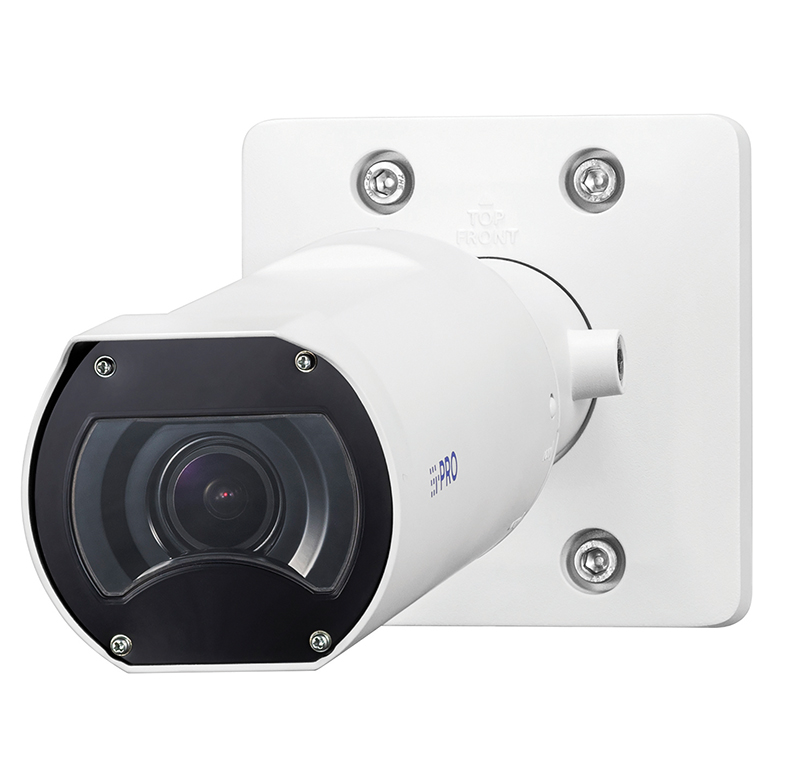
The i-PRO WV-U15550-V3L is a 5MP outdoor bullet camera certified to IP66 and IK10, with AI based image analytics. It supports audio recording and includes a 3.2 times optical zoom. The camera adheres to FIPS 140-3 (level 3) cyber security. The camera dimensions are approximately 298 x 113 x 113 mm (L x H x W) with a weight of 920 grams.
Getting started
The Safety Instruction sheet includes a QR code and link address for the i-Pro website where installation guides and manuals can be accessed.
The WV-U15550-V3L has two short leads feeding out from the centre of its mounting bracket. The first is for the RJ45 female PoE network connector and the second breaks out into two 3.5mm jack sockets with a white lead for audio in, and a black lead for audio / monitor output. Although given a rating of 9.6W, the camera was found to draw around 3.8 to 4.5W in normal operation, including with LEDs on.
The bracket has 4 screw holes for wall or ceiling mounting; these are slightly oval to allow some variation in fixing hole centres and are approximately 6 x 7 mm in size. Wide Pan, Tilt, and Yaw adjustments are possible to set the correct viewing angle. A notch in the base allows for cables to be surface routed.
The camera’s cover can be removed by pressing in the lock button and rotating the outer case from the Lock to the Open position, the cover can then be slid off. Once removed, you have access to the recessed Initial Set button along with the Tele and Wide lens zoom buttons, to the right of these are LED indicators for Activity and Link alongside the Micro-SD card slot for localised image storage. XC cards of up to 512GB can be used.
The camera’s packaging includes a fold-out flap at the end that allows access to the camera’s network lead. This means that cameras can be workshop configured prior to sending to site without needing to fully unbox.
Operation
Once a PoE enabled network source is connected, the camera’s webserver can be accessed. DHCP is enabled by default so basic network search tools can be used to locate the address, or the i-PRO Configuration Tool (ICT) is available for camera discovery. At the first connection, the page requests the user to register a new administrator username and password. The username can be from 1 to 32 characters, but the password must be from 8 to 32 characters with rules regarding character content. Once set you are prompted to sign in to the device. At this first sign-in you are presented with the Language and Time and Date settings window, time was showing as GMT +01:00 and US format date display so this can be changed to GMT with Daylight Saving settings if appropriate and UK format date format. Once these are Set the display shows the camera image with top line icons for additional features.
These icons are labelled, Snap shot, Live view, Image comparison display (before and after), Support Website, Full screen, Grid display, FPS/BPS display, then Camera control, and Setup. The FPS/BPS icon shows a useful display of received frame and bit rates for the camera.
Read the full review in the June 2026 edition of PSi magazine – out soon!
