


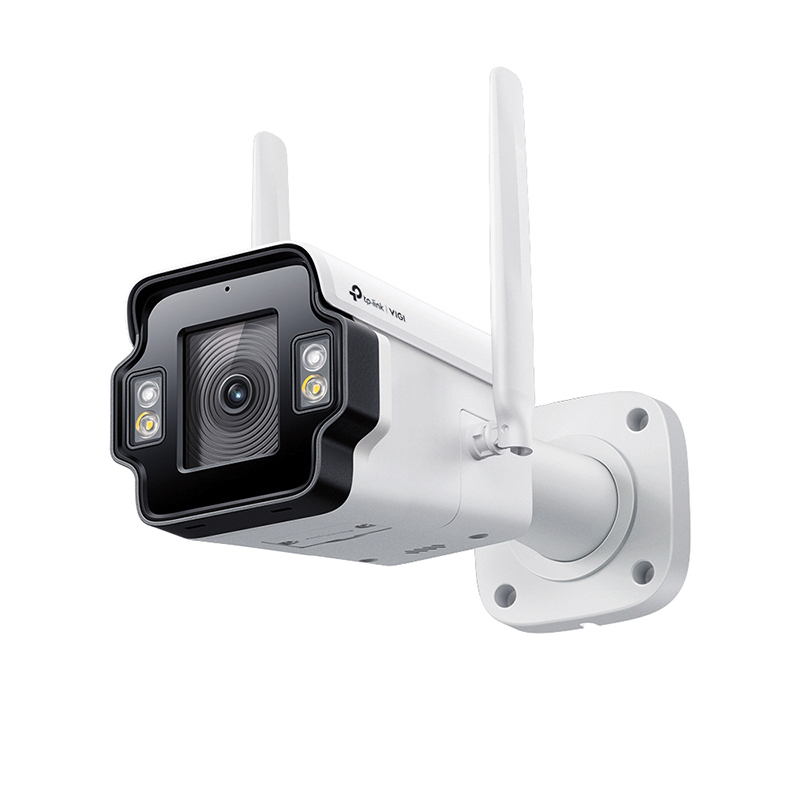
The TP-Link VIGI Insight S345-4G is an IP66, 4MP 24-hour full colour camera with 4G mobile network connectivity. It supports three LAN ports for additional devices and uses smart detection with Human and Vehicle classification. Two-way audio is supported along with audible and visible Active Defence alarming. The camera can be used with the VIGI Solar power system to allow two additional cameras to be connected over the same 4G signal path for remote location surveillance.
Getting started
The S345-4G must be 12-volt powered. A UK format plug-in power supply is provided with a 2.9-metre lead and power jack connector. Power demand is stated as 9.6W maximum with typical day mode of 3.4W and night mode up to 5.5W.
The camera has dimensions of approximately 256 x 122 x 101 mm excluding antennas, and a weight of 1.098Kg. The mount is suitable for wall or ceiling fixing, or an optional pole mount is available if required. The two 4G antennas are mounted on either side of the case and can be rotated and positioned for maximum signal strength.
Two hex screws in the base of the housing allow the captive card slot cover to be removed. This gives access to the MicroSD and Nano SIM card slots. There is also a recessed factory reset switch. An audio message is given when a MicroSD card is inserted warning that the card is not formatted and must be actioned following the guidelines.
Operation
Once powered the camera can be accessed using a web browser via one of the RJ45 network connectors or using the mobile phone network if a SIM has been installed. The default password is 192.168.0.60 as a static address with internet connection via the 4G internet. This must be changed to Wired Internet to enable DHCP functionality. The webserver worked with the major browsers following the usual security warnings, but a Trust certificate was required when using Firefox and Safari browsers. This is simply downloaded from the camera via Port 8443 then back to the initial page and a refresh to view video. Chrome and Edge did not appear to require this step. The browser view does not include a replay function, but alarm incidents and recordings can be accessed using the VIGI app.
At first connection the user is prompted to provide basic initialisation settings for Country, Time Zone, Language and Power frequency. This is followed by Password setting which includes options to enter answers to Security questions and a recovery e-mail address. Once entered the initialisation is complete and once the OK box is clicked, the camera shows the Preview screen with default camera view.
This preview screen has simple commands at the top for Preview and Settings screens and a Logout option at the top. Beneath the display area at the left are Aspect ratio and Stream drop-down selectors and to the right are commands for Screenshot, Digital Zoom, Alarm, Volume, and Full Screen.
Read the full review in the March 2026 edition of PSi magazine
